
have fun
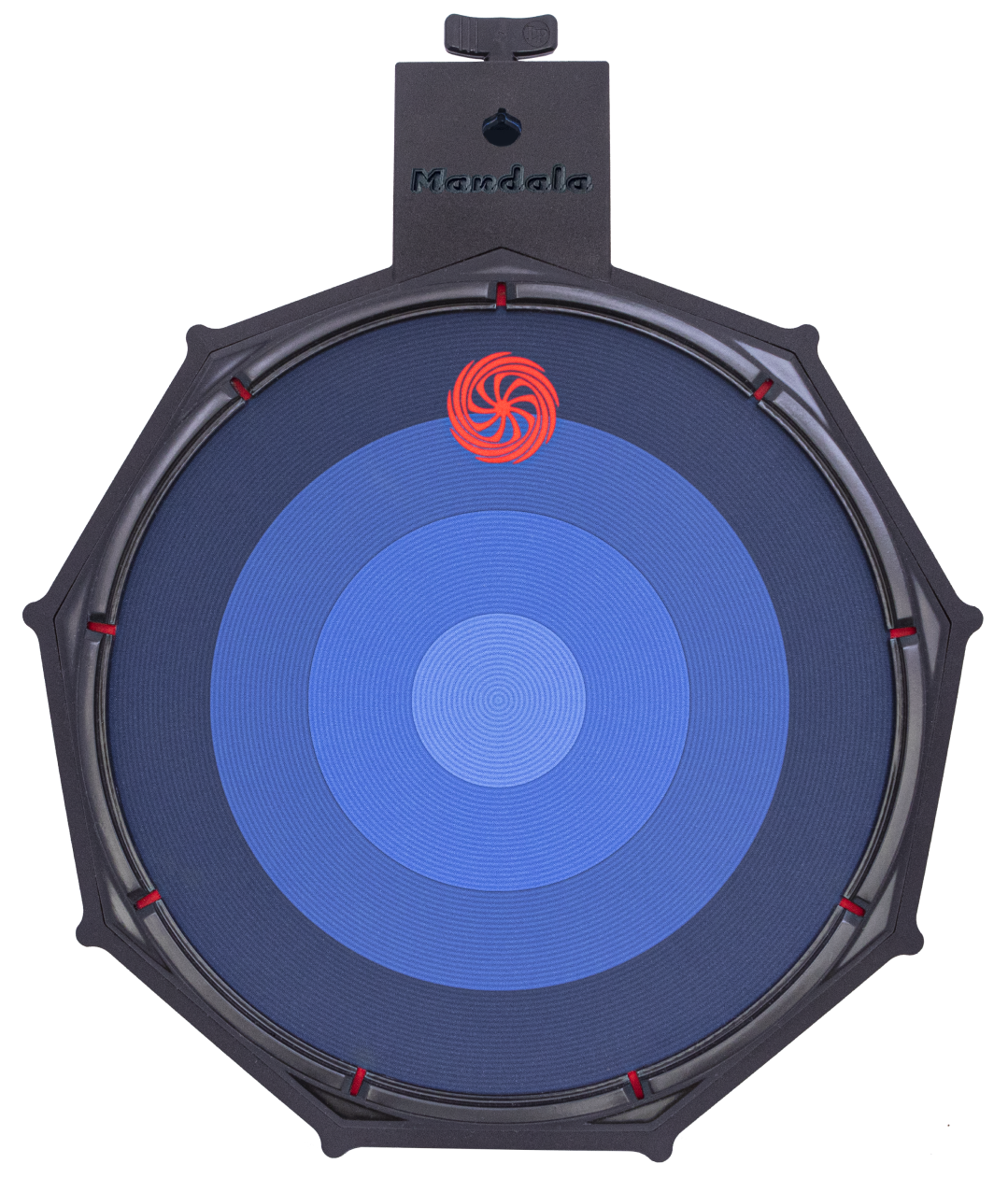

Mandala V3
Version 3 of the Mandala is the culmination of technological and structural improvements refined consistently over the last 15 years and used in studios and live around the world by all-time great musicians for millions of listeners. Now it’s finally time for YOU to plug V3’s into your favorite software and hardware and take things interdimensional.

here’s what’s new and improved:
Enhanced membrane technology including
- 4 surface triggers and 9 rim triggers (polyphonic), velocity sensitive
- All triggers can be held and sustained
- Continuous pressure output for surface (0-127 soft to hard)
- Continuous pressure output for rims (0-127 soft to hard)
- Continuous slide output for surface (0-127 center to edge)
- Surface strike position output (0-127 center to edge)
- No false triggers or crosstalk
- Zero discernible latency (600 microseconds)
Updated Features
- USB-B (plug-and-play) and 5-pin MIDI output for playability out-of-the-box with your favorite software and hardware. * No audio software included *
- Interchangeable hardware module system for future expandability
- Body designed by Ironhead Studios
- Frame designed using space program ingenuity for low deflection
- Mounts easily to existing drum hardware (L-Rods/L-Arms up to 10.5mm)
- Floating rim section component for trigger isolation
- Multi-layer sub-surface design for enhanced feel and low strike noise
- Playable with sticks or hands/fingers
- Fully configurable MIDI output with preset saving by way of the V3-Utility app (for advanced users)
- Pad Size: 13.75"w x 15.75"l x 2.25"h Pad Weight: 5.5lbs
be great.

Hit the Ground Running
You already have the skills, so just plug-and-play Mandala with all the software and hardware you love and take things to new percussive, melodic, and ambient heights. No special configuring or learning required.

Add Mandalas to your kit or slot one into your home studio


Don't Miss a Beat
Expand your performance capabilities with continuous pressure and slide output from the Mandala surface, all now integrated with the millimeter resolution center-to-edge surface strike position technology that put Mandala on the map.

Mandala’s multi-layer internal design provides an optimized playing feel and is topped with surface art depicting concentric strike zones and 128 high resolution detection rings

More Output, Less Clutter
Reduce your equipment footprint and trigger and control more sounds, effects, and loops with Mandala’s nine activated rim sections, each providing note/velocity and continuous pressure output.

Mandala’s 2 inch low profile and nine rim triggers allow you to squeeze a wide range of options into your kit without sacrificing valuable space

The Sky's The Limit
Customize your tonal and percussive playing by fully adjusting Mandala MIDI output with the included V3-Utility app (not required)
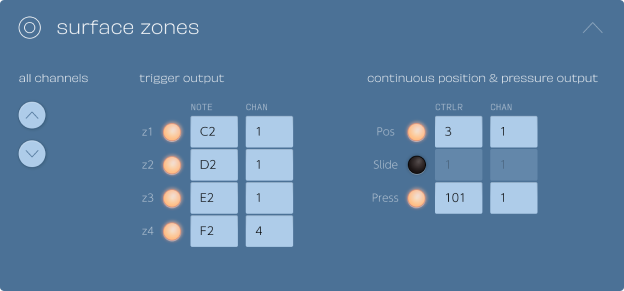
Change any output parameter of the V3 and your settings will automatically save in the pad’s internal memory
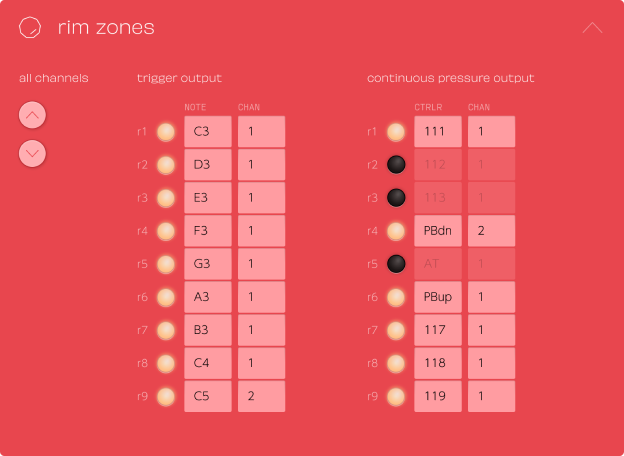


Be Ready for Anything
Future-proof your setup and stay on the leading edge of sound and music creation with interchangeable Mandala output packs.

Get rolling with the included USB-B MIDI + 5-Pin MIDI output pack and connect to new technologies in the future with additional packs
Introducing the new Mandala V3!
For demos and more: